
1) Login to Plesk control panel.

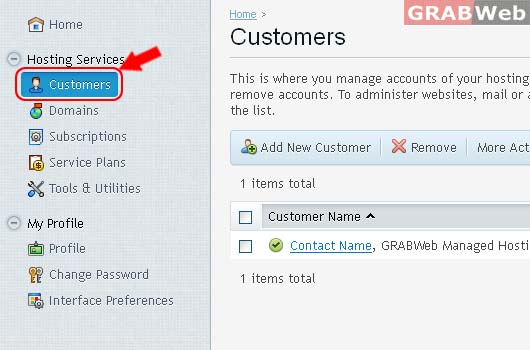
2) Click on "Customers"
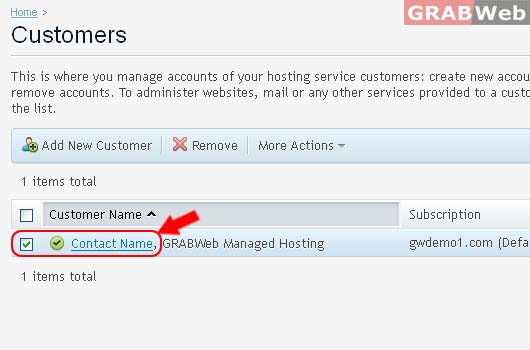
3) Select the "Customers" from the list.
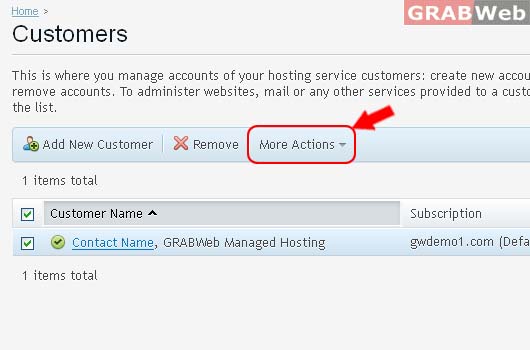
4) Click on More Action Button for ( Suspend / Activate )
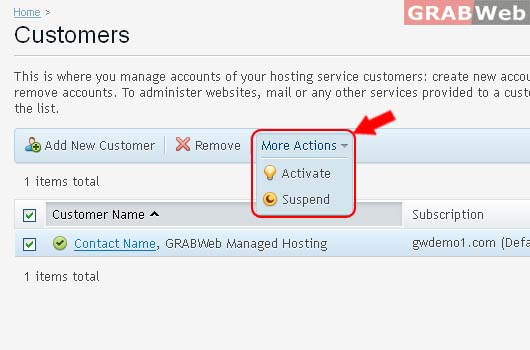
5) To choose ( Suspend / Activate ) for Seletecd Customer from the list as marked in RED.
To Add New Customer with Subscription and without Subscrption.Please follow the following steps...
To Remove Selected Customer and many Customers, please follow the following steps :-1) Login to...
Manage existing customers, and remove accounts. To administer websites, mail or any other...
SubscriptionsThis is where you manage the customer's subscriptions. To administer websites, mail...
1) About Service PlanWhen you start your hosting reselling business, you should define how you...
