
This is where you manage the customer's subscriptions. To administer websites, mail or any other services provided to the customer with the subscriptions, go to the customer's Control Panel.
Please follow the following steps:-
1) Login to Plesk control panel.

Customer Panel Overview.
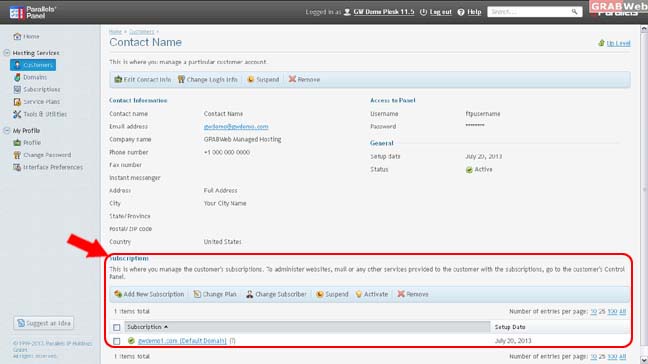
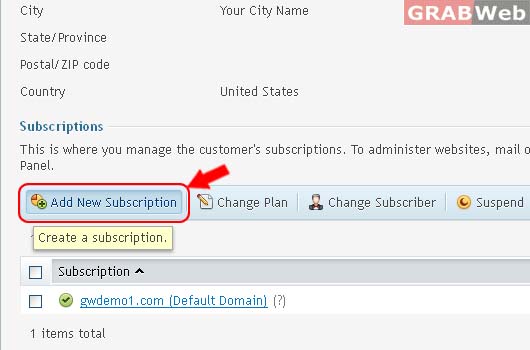
2) Add New Subscription.
a) Add Subscription for Customer Name. This is where you add a new service subscription for your customer.
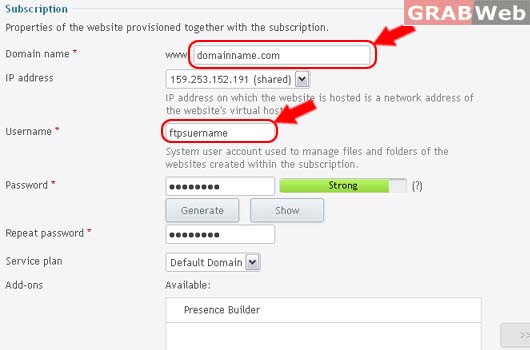
a) Ehter the Details as marked in RED.
Properties of the website provisioned together with the subscription.
About Username : System user account used to manage files and folders of the websites created within the subscription.
About IP address : IP address on which the website is hosted is a network address of the website's virtual host.
b) Click Ok.
Information: Subscription domainname.com was created.
