
Set up access to files of your websites over FTP protocol.
Please follow the following settings:-
1) Login to Plesk control panel.

2) Click on Subscriptions.

3) Select the corresponding Subscriptions from the list.

4) Click on Websites & Domains and then Click FTP Access.

5) Click Create Additional FTP Accounts.
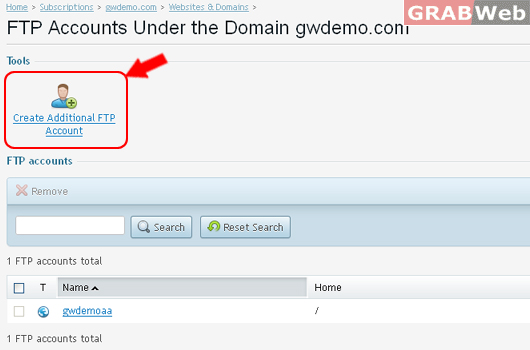
6) Enter the Details as marked in RED.
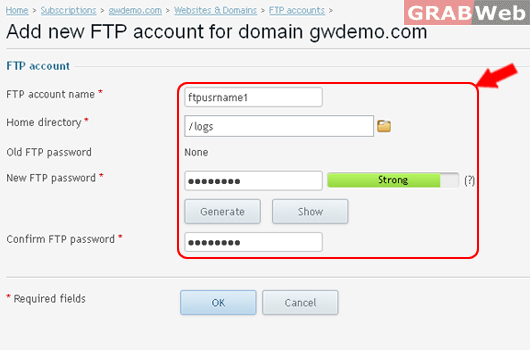
7) Click Ok.

Remove Additional FTP Accounts.
8) Select the correspnding FTP Username from the list. > Click Remove.

9) Click on Checkbox Confirm Removal > Click Ok.

Change FTP credentials ( Username and Password ).
10) Click on FPP Username as marked in RED.

11) Enter New details as marked in RED.

12) Click Ok.
Information: Hosting settings were successfully updated.
