
Service PlansThis is where you manage your hosting plans. Hosting plan is a set of resources and services provided to your hosting service customers when they subscribe to it. There are also add-on plans that extend the amount of resources and services provided with a certain subscription.
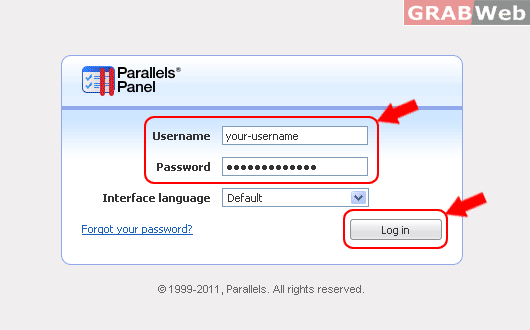
1) Login to Plesk control panel.
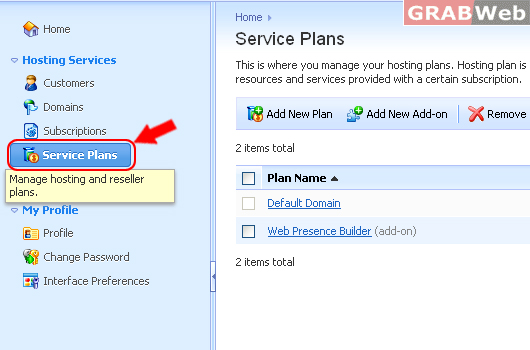
3) Click on Service Plan.
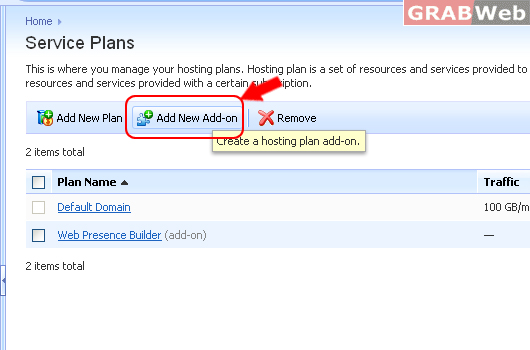
3) To Add New Add-on, Click on Add-on plan name.
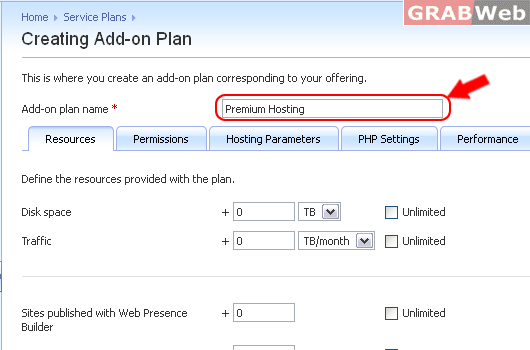
4) Type Add-on plan name*
Creating Add-on Plan
This is where you create an add-on plan corresponding to your offering.
5) Click ok.
Setting up a new add-on is similar to creating a new plan. This plan sign means that anything typed these boxes will be added to whatever resources the user already has.
Any Service and privileges you select here will be added on to subscriptions with the add-on plan. Anything left unchecked will not affect or modify the settings associated with the original plan.
For Flash Tutorial : Click Here.
