
To Change Customer Login info in Reseller Account, please follow the following steps:-
1) Login to your Plesk control panel.

2) Click on "Customers" and then Click on "Customer Name".

3) Click on "Change Login Info"
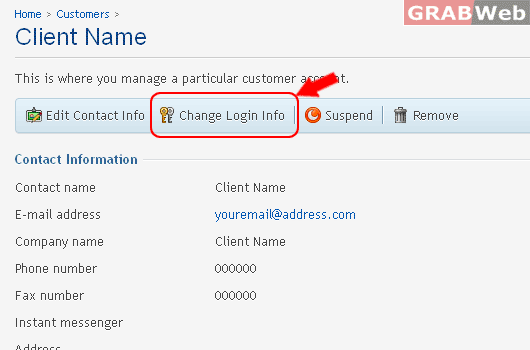
4) There you can change username and password.
This is where you change the username and password that the customer uses to access their Control Panel.

Information: Login information was updated.
