
To upload files through File manager in Plesk, please follow the following steps:-
1) Login to Plesk control panel.

2) Click on "Subscriptions" and then Click on "Manage Hosting" in front of the domain where you want to upload a files.

3) Click on "Websites and Domains".

4) Click on "File manager".

5) Click on "httpdocs" and then Click on "Add New File" and browse the path of the file from where you want to upload a file.
Note: You can upload all type of files except .rar, .gz.zip
If you can upload the .zip file or folder then you can also extract through plesk itself.

6) To Create new html, php, txt files in "vhost" (httpdocs) or as required.
Click Add a new File then click on Create a file if you need html template then click check box "Use html template"
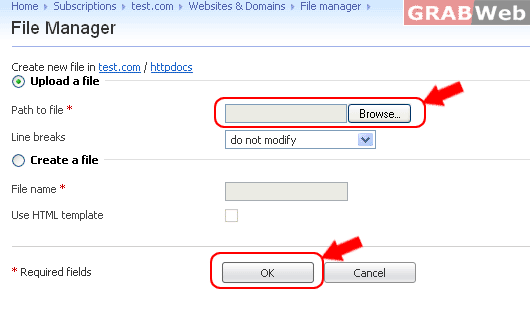
NOTE:- You can upload all type of files through the Plesk file manager and extensions are .zip or *.*
You can upload .zip file and then "Extract files" it in one click.
