
To protect your directory with password please follow the following steps:-
1) Log in to Plesk control panel.

2) Click on "Subscriptions" and then Click on "Manage Hosting" in front of the domain whose make password protected directory.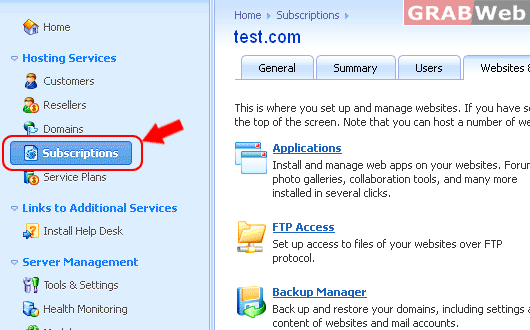

3) Click on "Websites & Domains".

4) Click on "Show Advanced Operations".

5) Click on "Password-protected Directories".

6) Click on "Add Protected Directory".
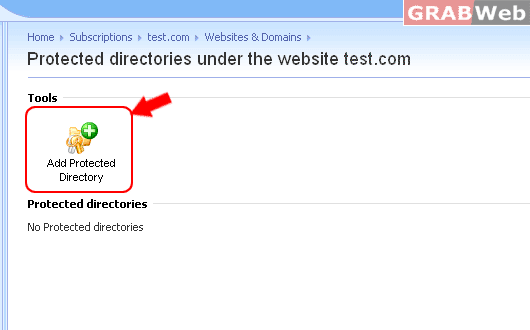
7) In the Directory name box, specify the following :-
a) The path to the directory that you want to protect with a password.
b) If you are using a Linux-based hosting account, you can also protect your CGI scripts stored in the cgi-bin directory.
To do this, leave '/' in the Directory name box and select the cgi-bin check box.
c) In the Title of the protected area box, type a resource description or a welcoming message that your users will see
when they visit the protected area.
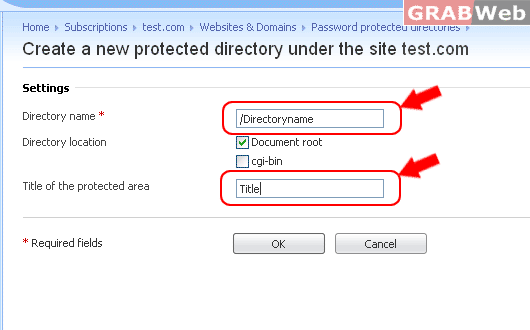
8) Click OK. The directory you specified will be protected.
