
1)Login to Plesk control panel.

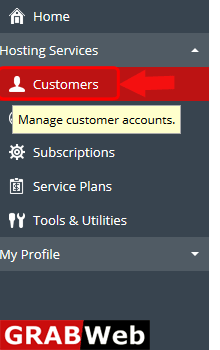
2)Click on Customers.
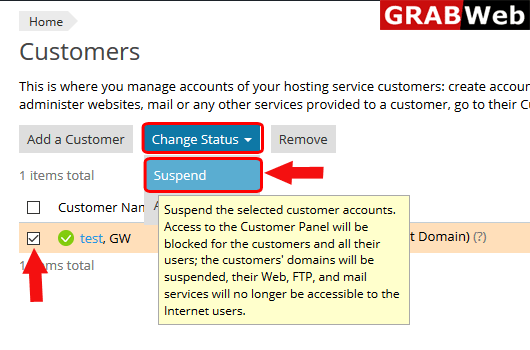
3)Select the cistomer and then click on Change Status.

4)Click on Suspend.
5)Here you can see the Information:Selected custpomers were suspended.

How to activate suspended client in Reseller Account,Please follow the following steps:-1) Login...
To add new customer with subscription in plesk follow the following steps:-1)Login to Plesk...
To deleet a customer from plesk follow the following steps:-1)Login to Plesk control...
