
Note:Of you deleet the domain then all the data inside the domain is also deleted automatically.
1)Login to Plesk control panel.

2)Click on Domains.
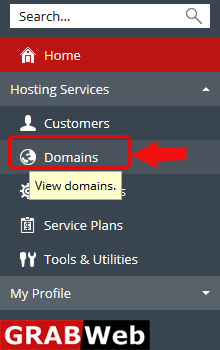
3)Select the domain and then click on Remove.

4)Click on Yes.

How to activate Disabled domain in Reseller account,Please follow the following steps:-1)Login to...
To add domain alias follow the following steps:-1)Login to Plesk control panel.2) Click on...
To Add Domain in Plesk follow the following steps:-1)Login to Plesk control panel.2) Click on...
To add Subdomain in plesk follow the following steps:-1)Login to Plesk control panel.2) Click on...
To disable domain in plesk follow the following steps:-1)Login to Plesk control panel.2)Click on...
