
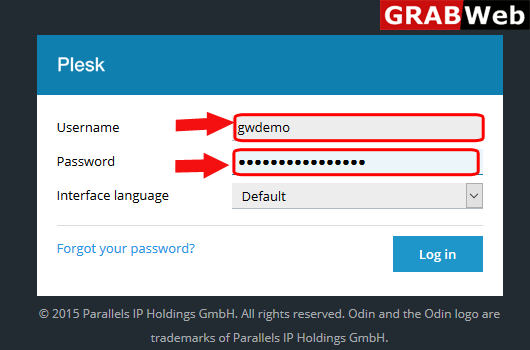
1)Login to Plesk control panel.
2) Click on Domains.

3) Click on Add Domains tab.
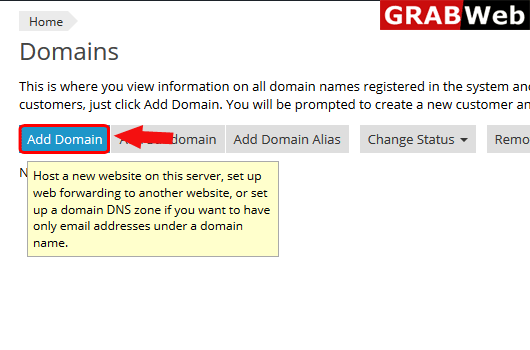
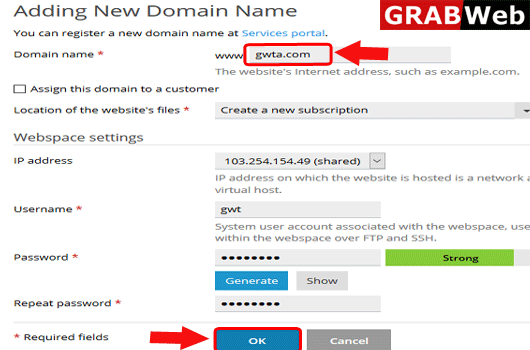
4)Enter the Domain name,username and generate the password.Then click on OK.
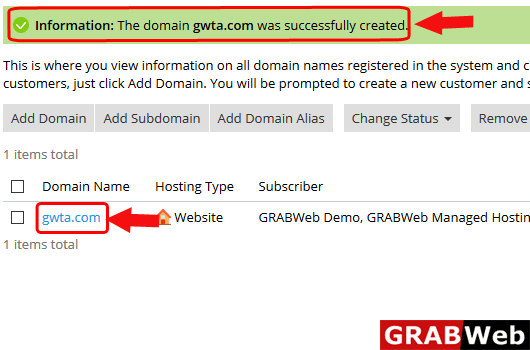
5) Here you can see the information that your domain was successfully created.
How to activate Disabled domain in Reseller account,Please follow the following steps:-1)Login to...
To add domain alias follow the following steps:-1)Login to Plesk control panel.2) Click on...
To add Subdomain in plesk follow the following steps:-1)Login to Plesk control panel.2) Click on...
To delete domain from plesk follow the following steps:-Note:Of you deleet the domain then all...
To disable domain in plesk follow the following steps:-1)Login to Plesk control panel.2)Click on...
