
Set up an automatic response to any mail message coming to your email address. Auto-reply is a standard means to notify your correspondents that you are out of office or on vacation.
Please follow the following steps:
1) Login to Plesk Control Panel.

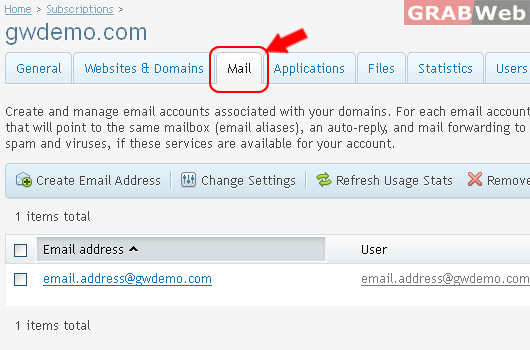
2) Click on Mail Tab.
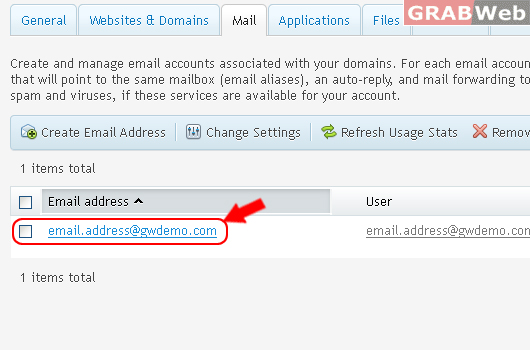
3) Select the corresponding Email Address from the list.
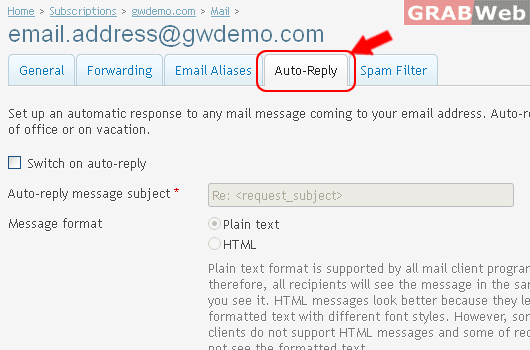
4) Click on Auto-Reply Tab
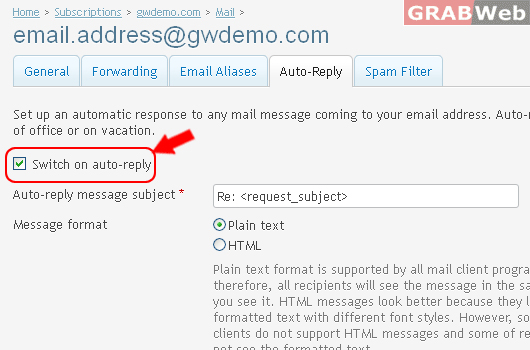
5) Select the check box "Switch on auto-reply"
6) Click Ok.

Information: The settings of email address email.address@gwdemo.com were saved.
