
Restrict access to slected areas of your websites with password protection.
Please follow the following steps:
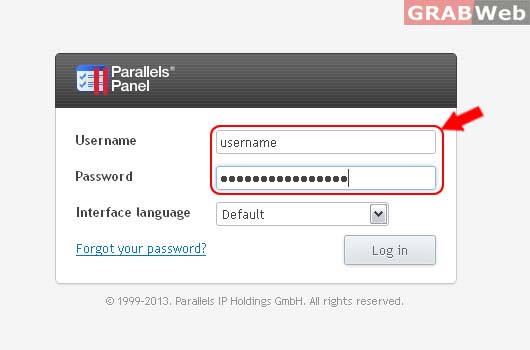
1) Login to Plesk control panel.
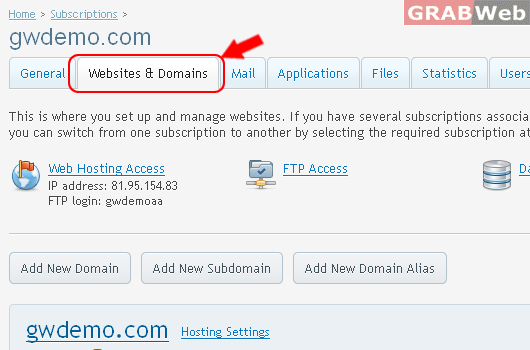
2) Click on Websites & Domains.
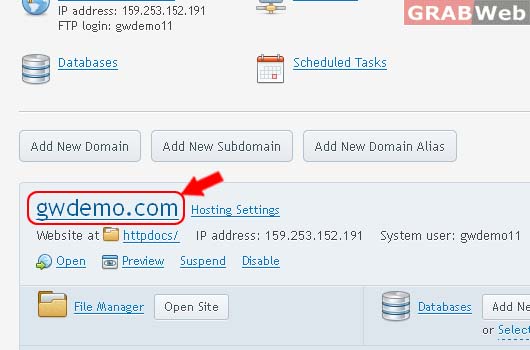
3) Click on Domain Name as marked in RED.
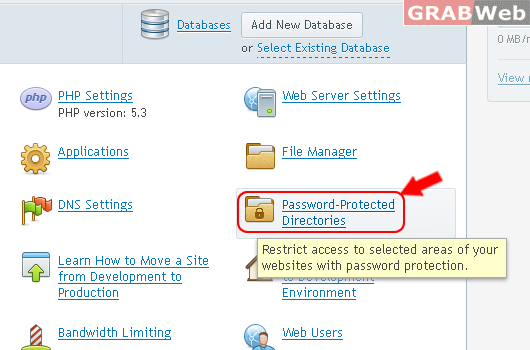
4) Click on Password Protected Directories.
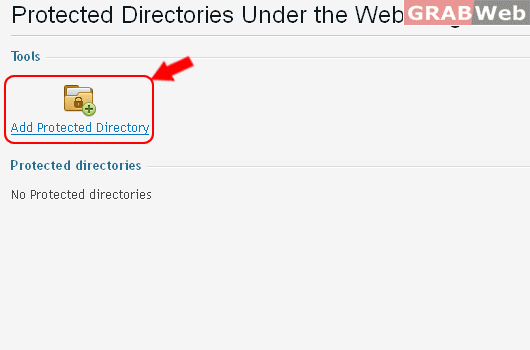
5) Click on Add Protected Directory
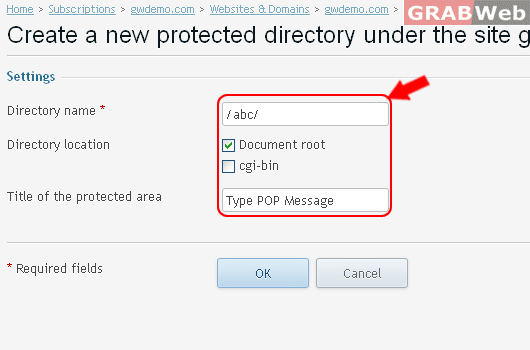
Enter details as marked in RED.
6) Click Ok.
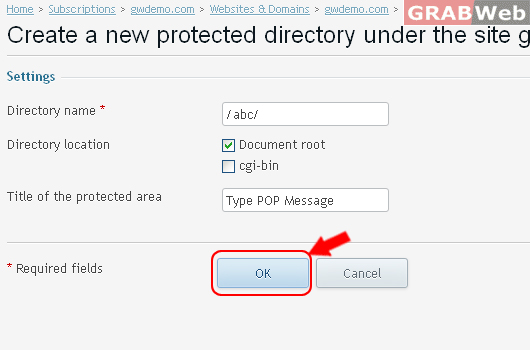
Information: Protected directory /abc was successfully created.
To Edit Properties of Protected Directory Path / abc /
7) Click on Path name as marked RED.

8) Click on Add New User
Set up a user account for access to the protected directory abc.

9) Enter USername / Password as marked in RED.

10) Click Ok.

Information: The user account for access to the protected directory was created.
To Change location, name, and area title for the protected directory.
11) Click on Directory Settings.

12) Enter the New / Modify details as marked in RED.

13) Click Ok.

Information: Protected directory settings were changed.
