View Cart
0
USD
USD
GBP
EUR
INR
AUD
CAD
SGD
Products
Shared Hosting
Managed Cloud VPS
Dedicated Servers
Junk Freezer
SSL Certificates
BUSINESS EMAIL HOSTING
Reseller Hosting
Domains
Register a New Domain
Transfer Domains to Us
-----
Domain Pricing
Website & Security
Support
Contact Us
-----
Network Status
Knowledgebase
News
Login
Plesk 11.5 : How to change Reseller Account Password in Reseller Account
Portal Home
Knowledgebase
3) Plesk Version 11.5
a) Reseller Guide
8) Change Password
Plesk 11.5 : How to change Reseller Account Password in Reseller Account
Support
My Support Tickets
Announcements
Knowledgebase
Downloads
Network Status
Open Ticket
To change reseller account password, Please follow the following steps :-
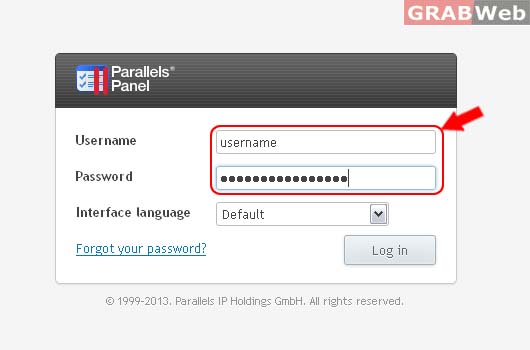
1) Login to Plesk control panel.
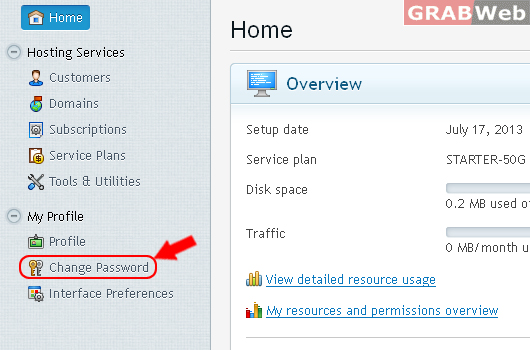
2) Click on "Change Password"
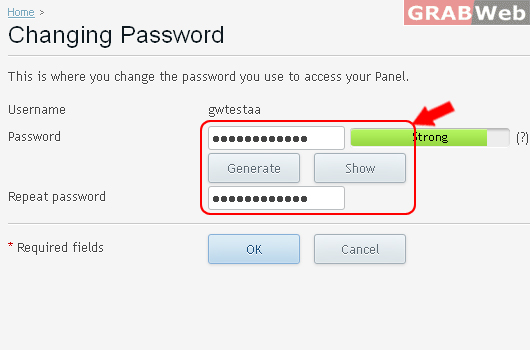
3) Then "Enter the new password" 2 times that you want to keep.
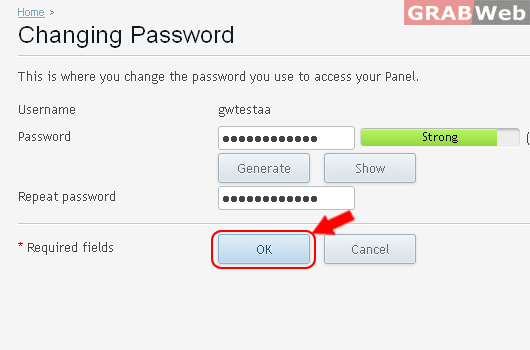
4) Click on "OK" You password will be changed now.
Information: Login information was updated.
Was this answer helpful?
0 Users Found This Useful (1 Votes)
Yes
No
Generate Password
Please enter a number between 8 and 64 for the password length
Password Length
Generated Password
Generate new password
Copy