
That is, the IP address on which the subscription's websites are hosted, and credentials of system user account linked with the subscription (used to manage files and folders of websites within the subscription, and to access the server via SSH or Remote Desktop). To change a subscription's hosting settings, go to Subscriptions > subscription's name, and click Change Hosting Settings.
Please follow the following steps:-
1) Login to Plesk control panel.

2) Click on Subscriptions.

3) Click on Subscription's name to Change Hosting Settings.

4) Click on Change Hosting Settings.
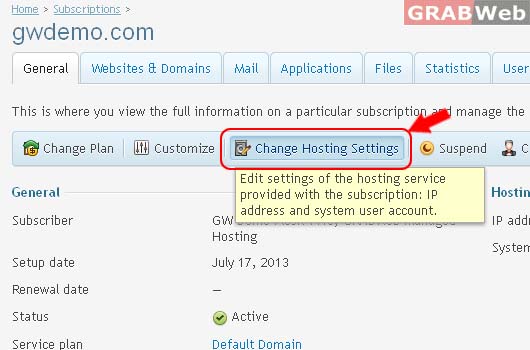
5) This is where you change hosting settings of the subscription.
IP addresses on which the website is hosted are network addresses of the website's virtual host.
Database servers that the websites within the subscription use by default. Changing this setting will lock the subscription from syncing.
System user account used to manage files and folders of websites within the subscription.

Information: Hosting settings were updated.
