
To enable spam filter on mail box, please follow the following steps :-
1) Login to Plesk Control Panel.

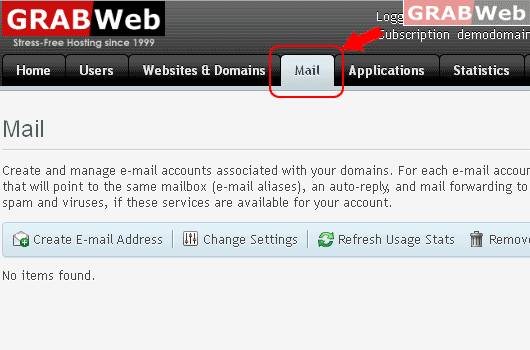
2) Click on "Mail Tab"
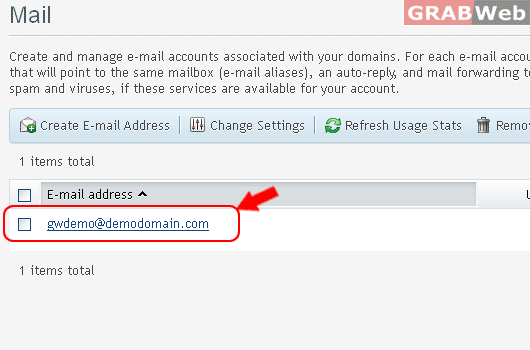
3) Click on "E-mail Address".
4) Click on "Spam Filter Tab" and Click Check box "Switch on spam filtering for this e-mail address"
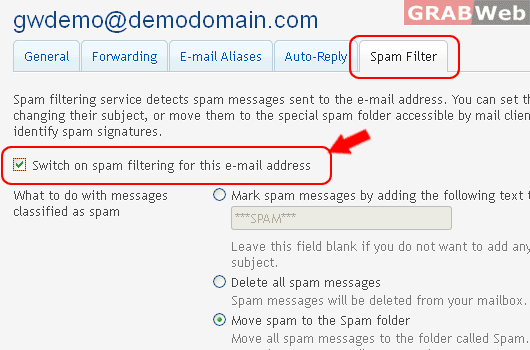
5) Click Ok.
For Flash Tutorial : Click Here.
