
To Check and Manage Web Hosting Access in Reseller Account, please follow the following settings:-
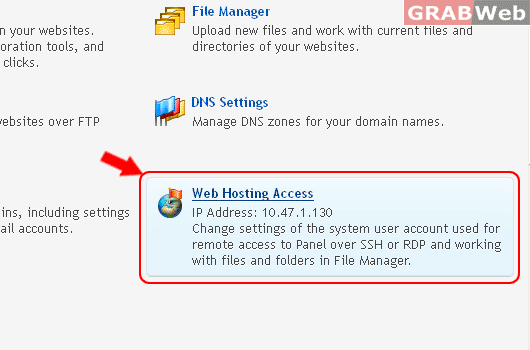
IP Address: 10.47.1.130
Change settings of the system user account used for remote access to Panel over SSH or RDP and working with files and folders in File Manager.
1) Login to Plesk control panel.

2) Click on Subscriptions.

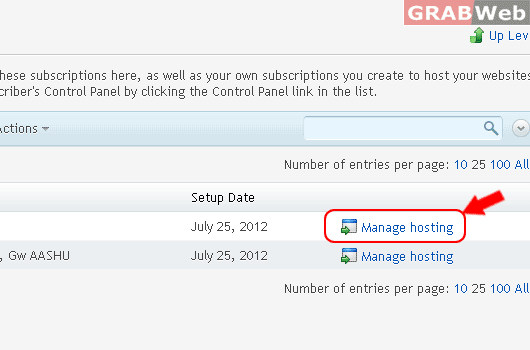
3) Click on Manage Hosting.
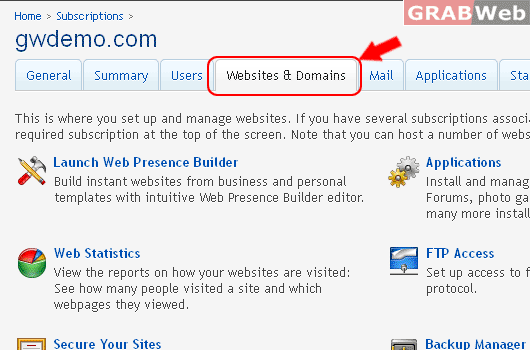
4) Click on Website & Domains.
5) Click on Web Hosting Access
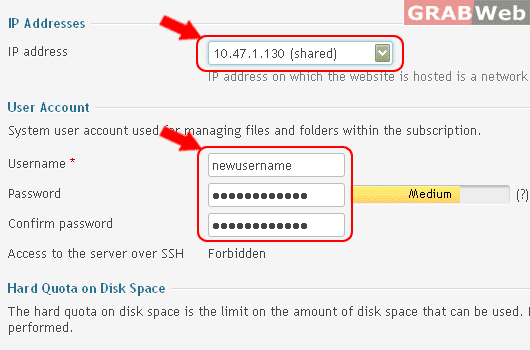
6) There you can Change IP address and FTP Username and Password.
7) Click Ok.
Information: Hosting settings were successfully updated.
