
How to Enable Domain Admin Access in Reseller account, please follow the following settings:-
1) Login to Plesk control panel.

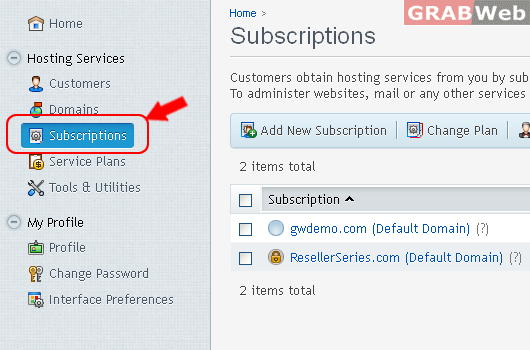
2) Click on "Subscription".
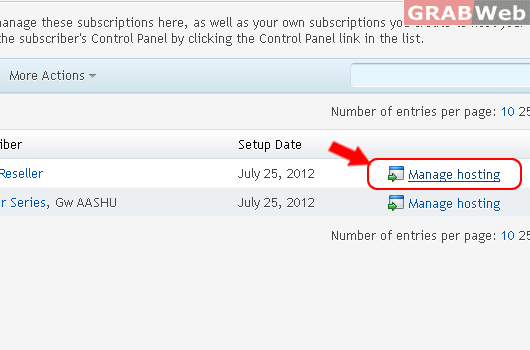
3) Click on "Manage Hosting" in front of the domain whom you want to enable admin access.
4) Click on User Tab and then Click on Create User Account.

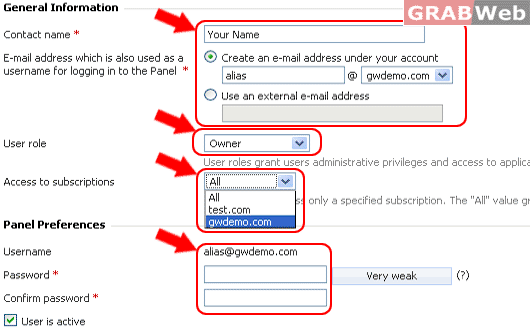
5) Fill the required field.
a) Your Name
b) Alias Email address alias@gwdemo.com
c) Select Role for Subscription.
d) Select Domain from Access to Subscription drop down menu.
e) Fill the password and confirm password.
6) Click OK.
7) Use your "Alias E-mail address and Password only for Domain Admin login" Example in Point #5, a) and d)
