
To change the web hosting type in the Plese please follow the following settings:-
1) Login to Plesk control panel.

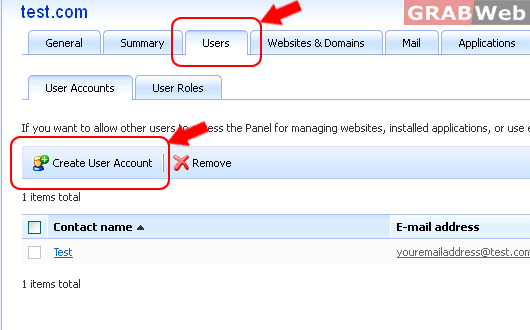
2) Click on of "Users" tab and Click on "Create User Account".
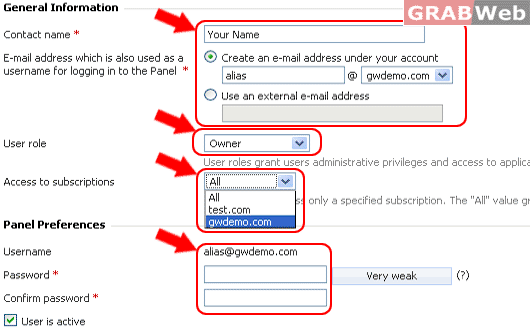
3) Fill the required field.
a) Your Name
b) Alias Email address alias@gwdemo.com
c) Select Role for Subscription.
d) Select Domain from Access to Subscription drop down menu.
e) Fill the password and confirm password.
4) Click OK.
5) Use your "Alias E-mail address and Password only for Domain Admin login" Example in Point #5, a) and d)
