
The DNS restore option is used when there is some issue with the DNS server. Your DNS
server will come into default settings once you have used this option.
To restore your DNS to the default settings please follow the following steps :-
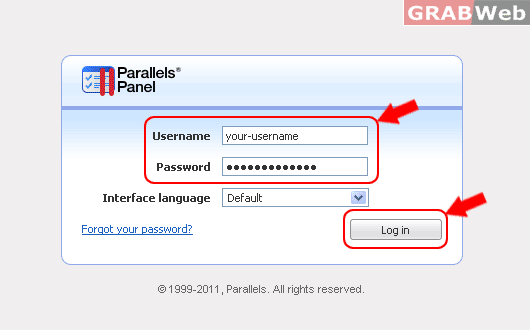
1) Login to Plesk control panel.
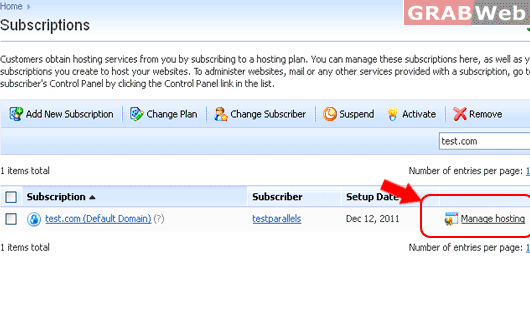
2) Click on "Subscriptions".

3) Click on "Manage Hosting"
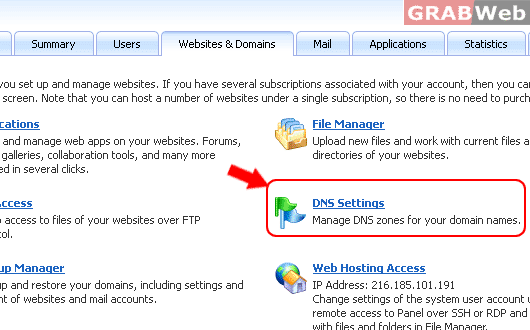
3) Click on "Websites and Domains".

4) Click on "DNS Settings".
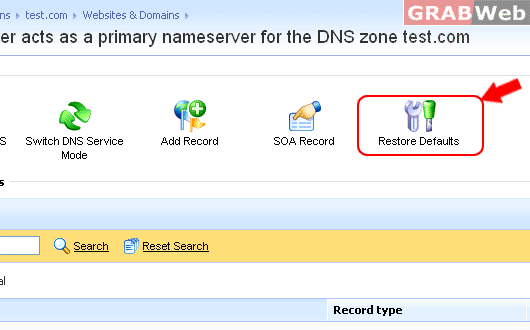
5) Click on "Restore button" at the top right of the page.
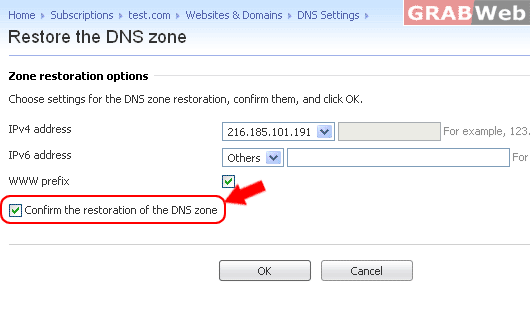
6) Click on the check box in front of WWW prefix.
Make sure you click on the check box for "Confirm the restoration of the DNS zone". Then Click OK.
NOTE:- Your DNS will come into default setting once you
have clicked on that button so we highly recommend you
to take the backup of your DNS settings before using this
option.
