
To check the IP address assigned under my account,Please follow the following steps :-
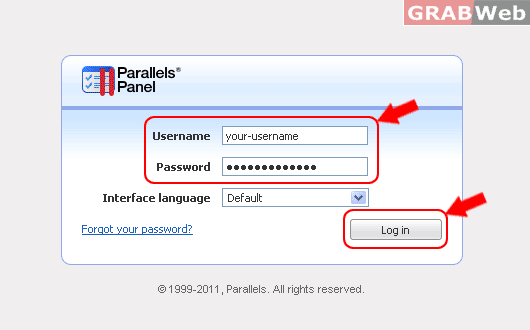
1) Login to Plesk control panel.
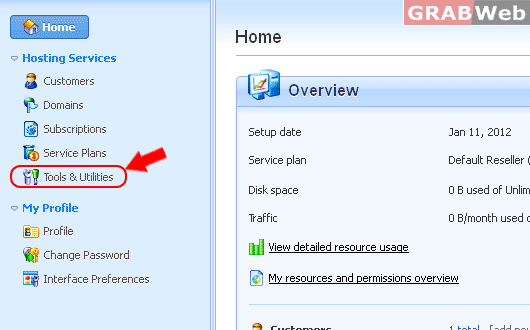
2) Click on "Tools and Utilities"
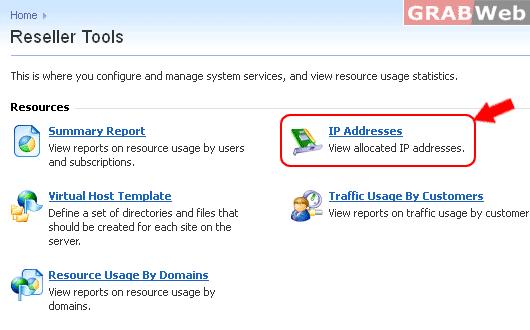
3) Click on "IP Addresses" and it willl show you the IP addresses assigned to your account.

To check the IP address assigned under my account,Please follow the following steps :-
1) Login to Plesk control panel.
2) Click on "Tools and Utilities"
3) Click on "IP Addresses" and it willl show you the IP addresses assigned to your account.
To check the IP address assigned under my account,Please follow the following steps :- 1) Login...
To check the resource usage of the domains hosted under your account, please follow the following...
To add a custom Logo to your Reseller Parallels Plesk Panel:- 1) Login to Plesk reseller...
To view a report on resource usage by users and sites,Please follow the following steps :- 1)...
To view a summary report of your account,Please follow the following steps :- 1) Login to Plesk...
