
To Activate a suspend client in Plesk, please follow the following steps:-
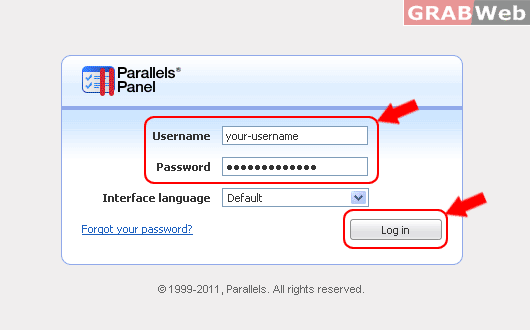
1) Login to your Plesk control panel.
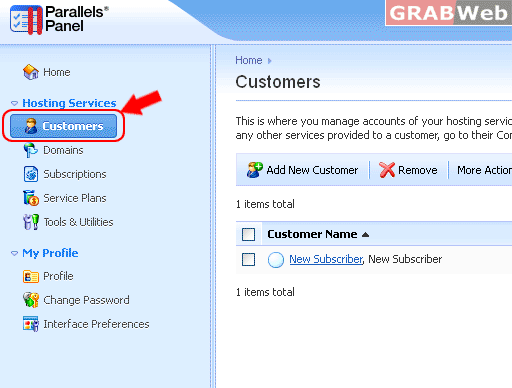
2) Click on "Customers"
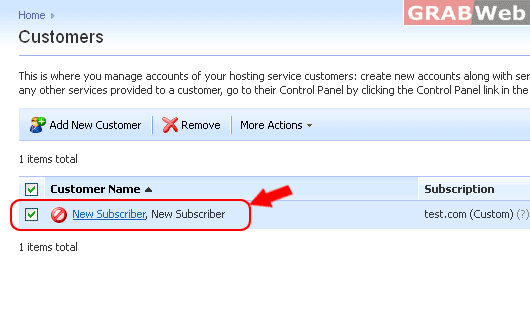
2) Click on "Subscription"
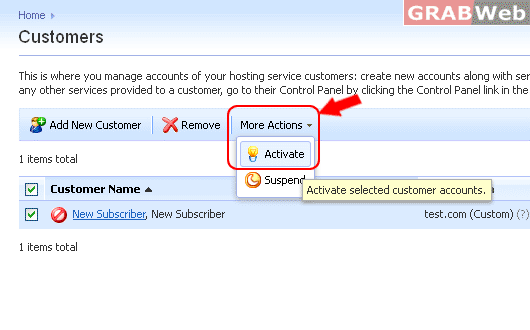
3) Click on "More Actions" and then click "Activate"
For Flash Tutorial : Click Here.
To Activate a suspend client in Plesk, please follow the following steps:-
1) Login to your Plesk control panel.
2) Click on "Customers"
2) Click on "Subscription"
3) Click on "More Actions" and then click "Activate"
For Flash Tutorial : Click Here.
To add new Customer with Subscription and without Subscrption in plesk, please follow the...
To remove a customer from reseller account in Plesk, please follow the following steps :- 1)...
To Suspend an account in plesk, please follow the following steps :- 1) Login to Plesk control...
To Manage a Particular Customer Account in Plesk, please follow the following steps:- 1) Login...
To Edit and Change Particular Client Contact Information in Plesk, please follow the following...
