
To enable Auto-reply on E-mail address in the plesk control panel, please follow the following steps :-
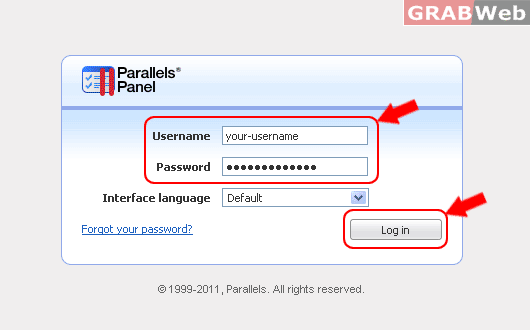
1) Login to Plesk Control Panel.
2) Click on "Subcription".

3) Click on "Manage Hosting" in front of the domain whose files permession you want to change.

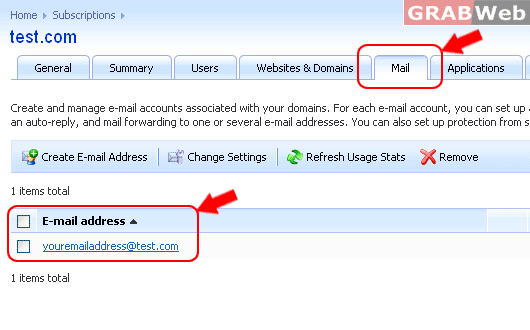
4) Click on "Mail Tab" and click on "E-mail Address".
5) Click on Auto-Reply Tab and then "Enter the following details :-
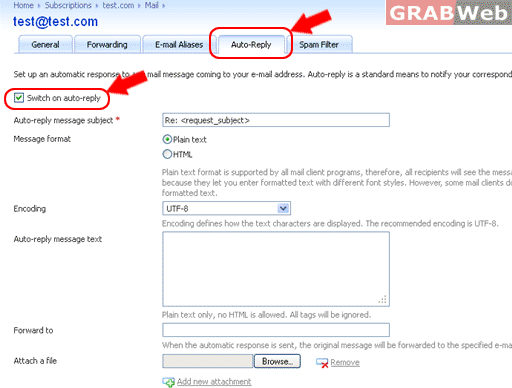
6) Once you have entere the above details click on "OK" and email account will be configured.
