
To configure Email address in Windows Live Mail, please follow the following steps :-
1) Open the mail client "Windows Live Mail".
2) Go to Tool > Account > Add Button.
3) Click Email Acocunt > Click Next and then enter the following detail:
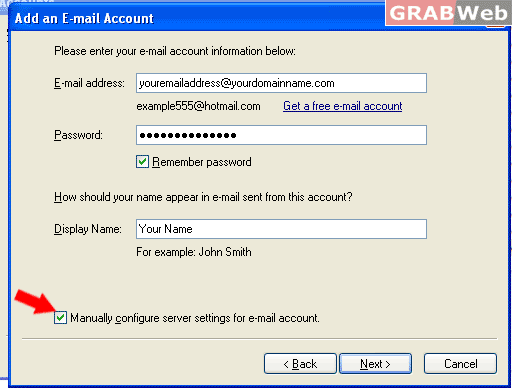
4) Click on Next and enter the following detail as show on Screen shot.
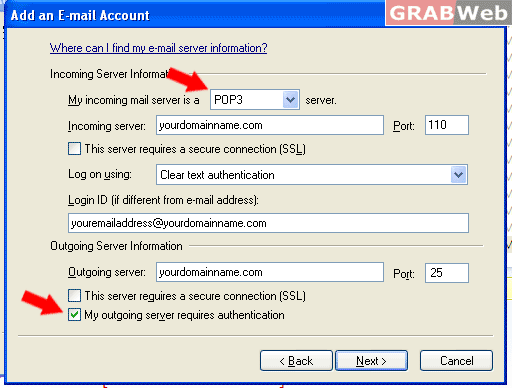
Note : SMTP : 587 for Linux in GRABWeb Servers and for Windows Port # 2525
6) Credentials :- Account Name/Login Name (Your email address and password of that email address need to be inserted).
7) Your email account has been configured on "Windows Live Mail"
