
To take the backup of your account, Please follow the following steps :-
1) Login to Plesk control panel.

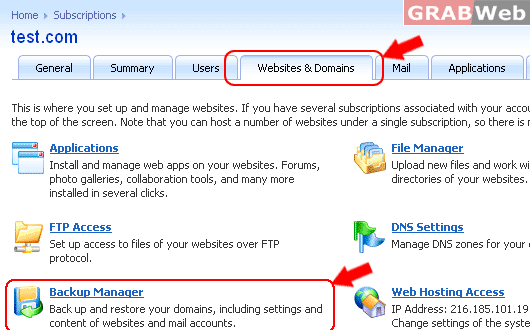
2) Click on "Websites & Domains".
3) Click on "Backup Manager"
4) Click on "Back Up"

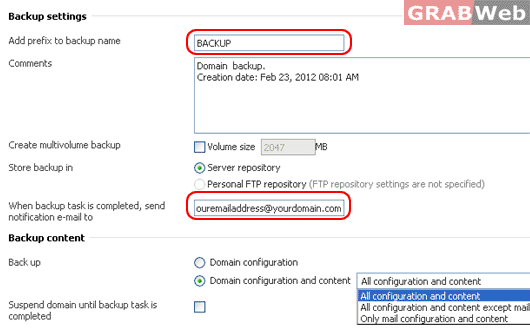
5) Enter the required details once you have entered the required details.
Add prefix to backup name:
Email for backup process notification
Select required : Domain's Configuration or Domains Configuration and content.
6) Click on ok.
