
1)Login to Plesk control panel.

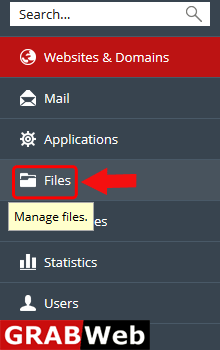
2)Click on Files Tab.
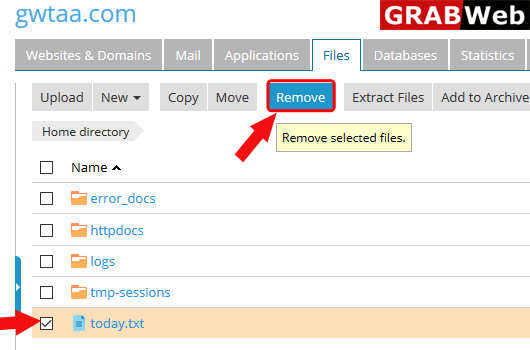
3)Select the file which you want to remove then click on Remove.
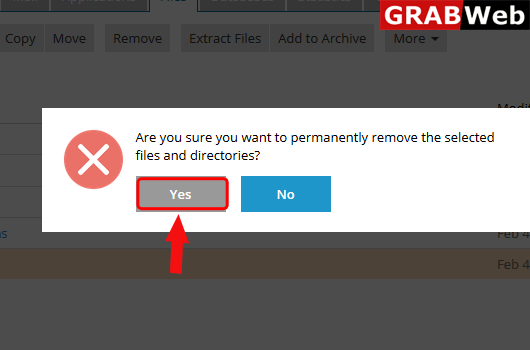
4)Plesk will ask you that are you sure then click on Yes.
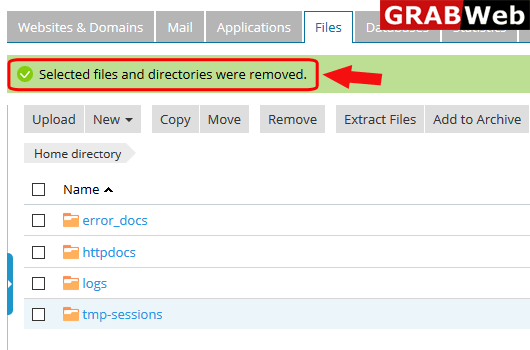
5)Here you can see that Selected files and directories were removed.
To add a directory to archive follow the following steps:-1)Login to Plesk control panel.2)Click...
To change permission of files and directory in plesk follow the following steps:-1)Login to Plesk...
To copy files or directiory follow the following steps:-1)Login to Plesk control panel.2)Click on...
To create file or directory in plesk follow the following steps:-1)Login to Plesk control...
To extract a file follow the following steps:-1)Login to Plesk control panel.2)Click on File...
